
Why Did My SSD Suddenly Disappear? A Guide to Silent Drive Failure
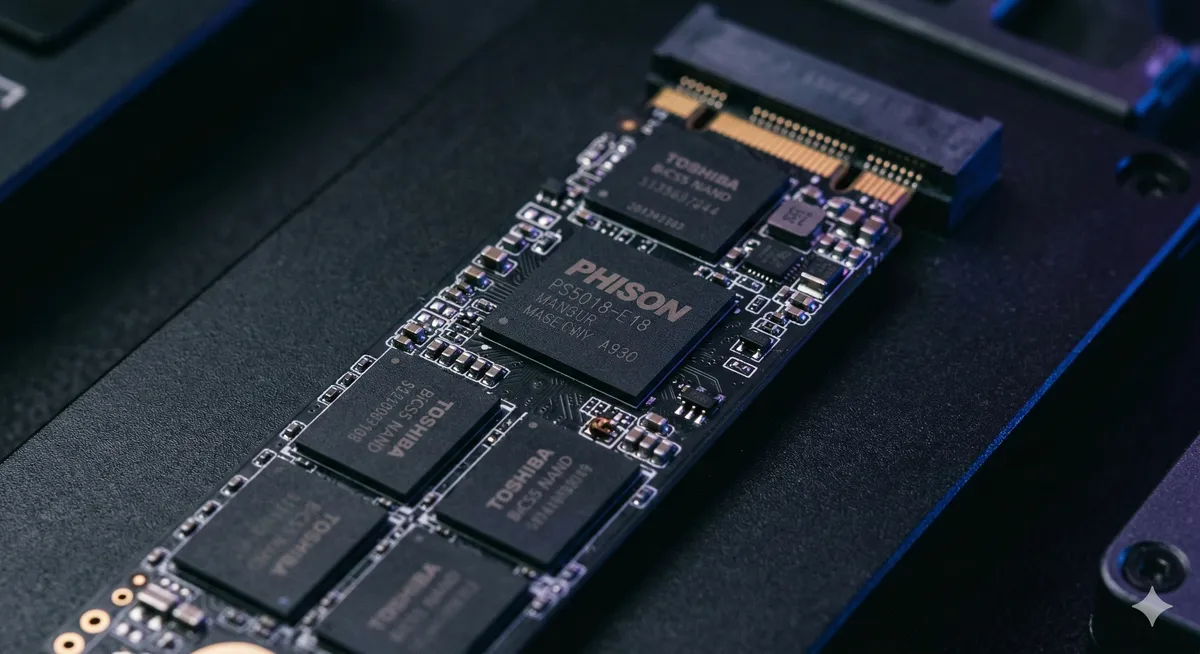
Solid State Drives (SSDs) revolutionized computer performance. They’re lightweight, blazing fast, and contain no moving mechanical parts—making them far more resistant to physical shocks than traditional hard drives.
But this speed and durability come with a harsh trade-off: SSDs die in complete silence.
While a failing traditional hard drive slows down or starts clicking as a warning, an SSD can be running at peak performance today and simply refuse to boot tomorrow. You turn on your computer to face a black screen and a terrifying message: “No Bootable Device Found”—or you discover the SSD has vanished entirely from the BIOS settings.
At Datacodex, we understand the sheer shock of watching your work files and projects vanish without warning. Don’t worry—a disappearing drive doesn’t necessarily mean evaporated data. In this guide, we’ll explain what happened behind the scenes and why you must be extremely cautious about certain actions that could destroy your data permanently.
How SSDs Work (The Silent Killer)
To understand why SSDs fail without warning, you need to know how they store your data. Unlike traditional drives that use spinning magnetic platters, SSDs store data as electrical charges within microscopic cells in chips known as NAND Flash.
The brain behind this operation is the controller—a small processor that manages the flow of data between your computer and the memory chips. This processor issues millions of commands per second to distribute data evenly across all cells, a process called Wear Leveling, ensuring no single cell degrades before the others.
Why SSDs Suddenly Disappear
No moving parts doesn’t mean no failures. Here are the most common causes of silent SSD death:
- Firmware corruption: A software error in the drive’s internal operating system forces it into a defensive state known as Panic Mode. The drive locks itself down to protect data, appearing as 0GB or with a factory alias like “SATAFIRM S11.”
- Power surges and voltage fluctuations: The SSD’s worst enemy. Any sudden voltage spike during metadata writes causes immediate damage to the controller or PCB.
- NAND wear-out: Each memory cell has a finite number of read/write cycles (P/E Cycles). When exceeded, cells can no longer hold their charge, and the drive enters Read-Only mode or stops completely.
- Controller failure: If the internal processor chip burns out, the computer loses all ability to communicate with the memory chips holding your data.
Critical Warning: Do NOT Run Chkdsk or Repair Tools 🛑
High-risk alert: If your SSD has disappeared or Windows is asking to repair it, do NOT run Chkdsk or attempt to reinstall an operating system. Why? Because of a feature called TRIM.
TRIM is a built-in command in modern SSDs that permanently erases deleted data in the background to maintain drive speed. Random repair attempts or running free recovery software on a damaged drive may trigger Windows to send erroneous TRIM commands across large areas of the drive, resulting in irreversible data wiping.
Golden Rule: Disconnect the power immediately and stop trying to boot the device.
The Professional Solution: How Datacodex Recovers Your Data
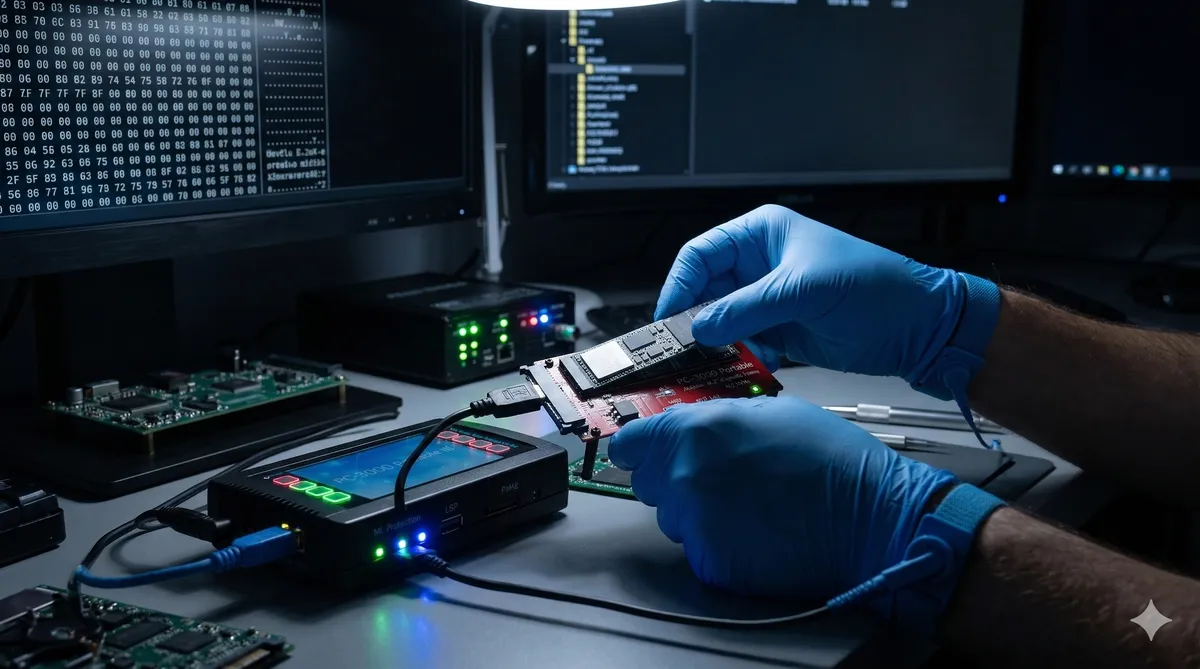
SSD data recovery is fundamentally different from traditional hard drive recovery—it requires sophisticated software and electronic intervention. As the leading lab in Saudi Arabia, we follow a rigorous protocol:
- Factory Mode access: We bypass Windows entirely. Using advanced hardware (PC-3000 Portable), we force the controller into Factory Mode, allowing us to bypass corrupt firmware and access the raw data.
- Translator rebuilding: If the internal file translation layer (FTL) that maps addresses to data is corrupted, we rebuild it programmatically from scratch to restore your files with their correct names and folder structure.
- Micro-soldering: In cases of electrical damage, we inspect components under a microscope and replace burned resistors or capacitors to restore power to the PCB.
- Chip-off recovery: In the worst cases where the controller is completely destroyed, we desolder the NAND chips, read them directly with a specialized programmer, then use algorithms to decrypt the data (XOR Descrambling) and reassemble it like a puzzle.
Key Takeaway
SSDs deliver outstanding speed and reliability for daily use, but they give zero warning before failure—making them unsuitable for long-term data archiving without external backups.
If your SSD suddenly disappears, remember that your data is most likely still resting safely inside the memory chips. Early, professional intervention from Datacodex gives you the best and safest chance to recover your digital life and work before it’s too late.